

Some weeks ago I met Thilo and he showed me twibble, his GPS enabled twitter client for the N95. Nice little and smart application. It sends messages with geo positions to twitter. The postion can then be tracked and viewed within Google Maps.
I was impressed and decided immediately to try to post the same messages with my mobile tracker and use the same, twitter, twibble and GM, to track my positions.
Using Builtin Python instead of the AVR controller
Actually I switched to use the builtin Python interpreter as some on the comments already suggested. So the external microcontroller is superfluous. That should make the setup smaller, cheaper and easier. By now I don’t have a new board, I just bypass the controller. Communication is done via serial port directly connected to the Telit module.
How to develop in Python for the GM862
To develop python scripts you need to download the python package from roundsolution’s techdocs page. Next write a “hello world” script and upload it with your favorite terminal application. Note, that using print statements for debugging will not work as expected. You have to redirect stdout to the serial port to be able to see them in your terminal. Joe pointet out that solution.
According to the documentation, it should be possible to get seperate output for debugging, stdout, etc. but I didn’t manage to get that up and running so I was stuck in trail and error. After uploading the script and starting the execution, the module takes some time to compile the python code. If it fails, it fails silently, what is a bit nasty. Nick has a nice writeup of how to develop with python for the GM862 in his blog. Developing and debugging turned out to be not that easy but it works.
Posting twibbled tweets
To piggybacking on twitter and twibble, I created a twitter account. I wrote a test script that uses HTTP over GPRS to post messages to twitter. As posting to twitter is secured with HTTP basic authentication, I hard wired my script to post my auth value. curl is very handy to test HTTP communication on the command line of your PC. Using the -v switch shows the encoded auth value, that you need.
Next I fetched the position from the GPS and formatted the message accordingly. To enable twibble to grab the position, it must be formatted like this: “<message> L:<lat>,<lon>:”.
The script now just fetches the position and posts it to twitter every two minutes. This can be improved by posting the position only if the module was moved.

Tracking
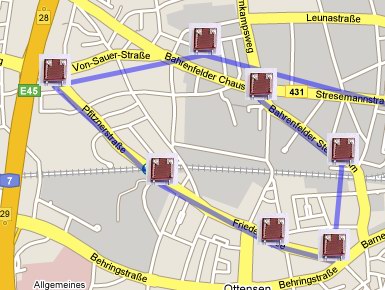
Now I can use Google Maps to fetch a kml file, which is generated by the twibble service out of my twitter messages. With the new feature to embed Google Maps without an API key, it’s even easier.
Links and downloads
- twibble, a location aware twitter client for smartphones
- source: tracker-python-001.zip
 tinkerlog
Ditto on the great project.
A question about your one subroutine though :
def sendTwit(message):
why does “MDM.send(‘AT#SKTD…” get sent in every loop. I thought the whole idea of having a socket was that it would remain open – and you just “pump” data down the line to the open port.
Is there a way to say “if socket not open… then open it”
Then send data to the port.
I’m a fashinable newbie, so am asking this to learn… not criticise!
Cheers
LikeLike
Hi Orb,
it depends on the delay between the messages you want to send. If it is fast enough, you can leave the socket open. Otherwise you will hit the timeout and you have to reopen the socket.
On the other hand, you could modify the settings for the socket timeout.
I haven’t tried that many different settings after I found one that works. It is a bit hard to debug python on the module.
Cheers,
Alex
LikeLike
Hi Alex,
Please be so kind and come back to me, because I would like to help you with details on latest Python based GSM/GPS modules listed here:
http://www.roundsolutions.com/aarlogic/index.htm
Maybe you can a few smaller GPS related jobs for me, if you are interested in.
Regards
Harald
LikeLike
Hello Alex!!!!!!!
I love your site, and I think that you are very smart.
Please, this girl needs yor help. Can you please tell me how to programm in python for the GM8862-GPS?? I want that the module send every 5 minutes or an hour a SMS to a cell phone with the information of the GPS position.
Pleaseeeee baby!!! yes???? Know I have the module and just need your, very important to me, help!
LikeLike
Hi Diana,
check out this link http://www.desantix.it/index.php?page=show_articles&cmd=show_article&id=214&cookie=1
They use python on the GM862 to send SMSs with GPS positions.
Cheers,
Alex
LikeLike
Thank you for your fast answer!!! Im studying the code, thanks a lot!!!
I m studying your python code too because I want to do the same you did. I hope I don’t bother you with my questions :(
Im trying to understand the twibbled tweets stuff so in a futute i will make quiestions :D hehehe
Well first of all: Can I use a wall adapter switcher power supply of 9V to the EVK V3 for the GM8862-GPS of sparkfun??
Really thank you so much!!!!!! Please tell me if I bother you!!
LikeLike
Dear Alex,
Congratulations for your great web
I’m testing GM862 module for TCP UDP data communications.
I can send data to any IP using communication port 80 (or any other) using HyperTerminal and it works perfectly.
When I try to do the same using Python the GM862 opens the connection with the remote IP machine but the data send by the command MDM.send(‘testrn’,0) never arrives.
I had used an sniffer and test it in different machines and different IP and the result is always the same:
HyperTerminal works perfect but Python only connect but do not send any data.
I show you the easy python code that is able to make the connection but not to send the data:
import SER
import MOD
import GPS
import MDM
SER.set_speed(‘115200′,’8N1’)
MOD.sleep(30)
MDM.send(‘ATr’,0)
MDM.send(‘AT+CPIN=6969r’,0)
res=MDM.receive(10)
SER.send(res)
MDM.send(‘AT&k0r’,0)
res=MDM.receive(10)
SER.send(res)
MOD.sleep(30)
MDM.send(‘AT+CGDCONT=1,”IP”,”movistar.es”,”0.0.0.0″,0,0r’,10)
res=MDM.receive(50)
SER.send(res)
MOD.sleep(10)
MDM.send(‘AT#USERID=”movistar”r’,10)
MOD.sleep(10)
MDM.send(‘AT#PASSW=”movistar”r’,10)
MOD.sleep(10)
MDM.send(‘AT#PKTSZ=300r’,10)
MOD.sleep(10)
MDM.send(‘AT#DSTO=50r’,10)
MOD.sleep(10)
MDM.send(‘AT#SKTTO=90r’,10)
MOD.sleep(10)
MDM.send(‘AT#SKTCT=600r’,10)
MOD.sleep(30)
MDM.send(‘AT#GPRS=1r’,150)
res=MDM.receive(150)
SER.send(res)
MOD.sleep(30)
MDM.send(‘AT#GPRS=1r’,150)
res=MDM.receive(150)
SER.send(res)
MOD.sleep(100)
MDM.send(‘AT#SKTD=0,80,”213.060.170.198″,0,0r’,0)
res=MDM.receive(50)
SER.send(res)
MOD.sleep(60)
MDM.send(‘testrn’,0) #instruction that never arrives
SER.send(‘Program end’)
Please can you help me in order to do not stack the project in this simple steep.
Looking forward to hearing from you
LikeLike
Hi Anton,
hmm, hard to say.
I assume you have checked the returned output of all AT commands and all commands succeeded.
Maybe try to do a sleep after sending the test string. And you could read the output after you send the test string. Maybe an error occured.
Another try could be to skip the sleep(60).
HTH, I’m just looking for things that I would try.
Cheers,
Alex
LikeLike
Do you know how to adapt a battery and a battery charger to the Telit GM862-GPS module?
I’m designing a small pcb to simply plug the module once programed. In that mode you can have a small tracker.
When I finish the design, if you want I can give you a copy of the pcb.
LikeLike
Hi Medina,
I am sorry, I haven’t looked into battery charging. But have a look at the Aarlogic modules, they have a battery charge on board.
http://www.roundsolutions.com/aarlogic/index.htm
Cheers,
Alex
LikeLike
Well, just to tell you that the Telit Technical department told me that the module has their own battery charger built in.
And you just need to connect the battery to the charge pin of the module. (It’s recommended that you use a protection circuit module on your battery. This just for an extra protection of the gm862).
They told me too that you can have connected an external power source and at the same time a battery. In case that the external power source fails the module automatically switch to the battery power.
Just like a cell phone.
Very cool isn’t it?
Kind Regards
Medina
LikeLike
hi..alex..im henda from indonesia….i really impressed with your project…now i’m doing the same project like you..i’m using the ATMega 8535 for the uController n using the SIM508 GSM/GPRS+GPS modul for the GPS receiver…my problems are : the GPS connector is too small so i cant build the PCB…i have another GPS modul but still I’m stuck in the C program…it will pleasant for me if you e-mail?send me the C code for atmega8 interfaced to your GPS module/your project…coz my deadline is 2 weeks again….big thanx Alex
LikeLike
Hi Henda,
for the c code, please have a look at
Cheers,
Alex
LikeLike
hello alex…big thanks for the C code….i’m studying it right now…were u use the win avr for programming??can u send the “make file” for me……the last question..if im planning to build a delphi program to receive the data from the GPS by PC..then the delphi programm will automatically send the GPS data to the google earth..so i dont need to send the data to google earth by myself…can u give some advice about how to connect with the google earth…
big thanks Alex…keep fightin
LikeLike
What represent the auth value? is the password for authentification on twitter.com? I don’t understant what represent “auth”. Can anyone help me? Thank you very much!
LikeLike
Yes, it’s the user and password, base64 encoded.
LikeLike
Hello Alex!
Thank you for your answer!
Your program is a good example for me and i want to understand it very good, because i want to make something similarly, i want to send data to a server via GPRS (in fact a database). But before i want to test your program and i want to see how is working.
What is the format of the user and password?
Is something like this:
MDM.send(‘Authorization: Basic rn’, 0) ? It is in this format? How is made the base64 encode in program? I read about this in the documentation of python. I’m new in python and i want to learn new things about this language and for that i need your help.
Thanks!
LikeLike
Hi Pauly,
try this:
import base64
user=’alex’
password=’secret’
base64string = base64.encodestring(‘%s:%s’ % (user, password))
Cheers,
Alex
LikeLike
Thank you very much for your answer!!!
I understood what you show me, but i don’t know now what is the form of value in the
MDM.send(‘Authorization: Basic rn’, 0) ?
How i must to write the value, what is his form?
Is something like this: = , it is in this form?
Or i put directly in that sentence = and the instruction is like this form: MDM.send(‘Authorization: Basic rn’, 0) ?
I don’ speak very good english, but i hope you will understand what i want to ask you.
Thanks!
LikeLike
Ok, try this: http://en.wikipedia.org/wiki/Basic_access_authentication
It explains how basic authentication works and how the header fields look like.
LikeLike
Thank you!!!
LikeLike
hey there,
Amazing project !!
One question – you said, by this point of time, you had “bypassed” the microcontroller. Can you tell me how it affects the board diagram in (https://tinkerlog.com/wordpress/wp-content/uploads/2008/01/beacon.png) ?
Also, another question – I only have a laptop without a serial port. Is it possible to work on this board with a USB connection ?
thanks so much!
LikeLike
Hi SilverByte,
“bypassing” meant connecting the PC directly the GM862. So the microcontroller can be left out. To connect the PC via USB to the module, you will need a kind of serial-2-USB converter. Try to search for FTDI-cable.
Cheers,
Alex
LikeLike
Hi Alex,
thanks for replying – actually why I am bothering you to ask for exact pin connections is because I heard that if you have the SIM card in and the GPS active, you can lo longer debug python code over serial port – which means you need a separate debugger kit.
Could you please help me out on the pinouts that you used for the connections of the GM862 to the computer directly.
Thanks for the tip on the FTDI cable.
LikeLike
Hi SilverByte,
if you take a look at the schematic, just connect the two pins that are connected to the ATmega8 (pin 2 and 3) to the USB-serial-adapter. Be sure to get the voltage shifting resistors right.
Another option is to buy a breakout board for the GM862, that has a serial connector on board.
Cheers,
Alex
LikeLike
Hi Alex,
Have you seen the new Aarlogic C10/3 of Round Solutions? It comes
with embedded Linux, GPRS module and Sirf3 GPS module. Based on
this board you can develop a cheap and powerful tracking or telemetry application quickly.
Round Solutions helps with free of charge demo code in C for:
– Code that supports tracking server http://www.track4free.com (Google Maps) and http://www.track4less.com (OpenStreetMaps)
– Code that grabs JPEG on standard web cam with USB interface including forwarding
Press release:
http://www.roundsolutions.com/news/embedded-linux-pc-gps.htm
Data sheets and schematic diagrams:
http://www.roundsolutions.com/aarlogic/index.htm
Regards
Harald
LikeLike
Hi Alex,
MDM.send(‘AT#SKTD=0,80,”www.eng.ruh.ac.lk”r’, 0)
x=MDM.receive(10)
debugmsg(‘connecting to site = %s’ %x);
debuging message–>
connecting to site=rnCONNECTrn
MDM.send(‘GET /fac/about_us.html HTTP/1.0r’, 0);
b=MDM.receive(100)
debugmsg(‘Final result : %s’ %b);
debuging message –>
Final result :
It gives nothing in this output. can i solve it, need ur help Alex
Regards
Malith
LikeLike
Hi Malith,
that may result from quite a number of different problems. To get closer, I would check the server side first. Check if the request actually reaches the server.
Cheers,
Alex
LikeLike
Hi Alex,
I have a question to you. I will make a gps locator like yours, but probably I will use other module.
This one:
http://www.crownhill.co.uk/product.php?prod=1811
My problem is that I will need an Evaluation Board, you know where can I bought one? I already did the eagle schematic of the board and my problem now is where can I build it?
I need a place where they can put an 80-pin molex connector in the board, because it’s impossible to do this manually.
Regards,
Fábio
LikeLike
Hi Fabio,
take a look at BatchPCB. They make even smallest orders possible. For the molex connector, I’m not sure. I would try it with hot air.
Cheers,
Alex
LikeLike
hi nick
I want post on Twitter a data like “123.” I tried a simple way with the AT commands but had no success. I have follow the code in Python and I wrote in termimal the following commands:
at
OK
AT+CGDCONT=1,”IP”,”internet”,”0.0.0.0″,0,0
OK
AT#GPRS=1
+IP: 89.214.145.84
OK
AT#GPRS?
#GPRS: 1
OK
AT#SKTD=0,80,”twitter.com”,0,0
CONNECT
POST /statuses/update.xml HTTP/1.1
Host: twitter.com
Authorization: Basic XXXXXXXXXXXXXXXXXXXX=
Content-Type: application/x-www-form-urlencoded
Content-Length: 3
123
after that, I will check in Twitter if my data “123 are updated, but NOTHING
What is your suggestion?
Thanks!
LikeLike
Who’s nick??
Anyway, you should look at http://apiwiki.twitter.com/Things-Every-Developer-Should-Know to see, if you get it working on the command line. curl is a great tool.
After that, try it with the modem again.
LikeLike
Hi Alex,
your project inspired me to finally buy that SparkFun evaluation board. now though i’m wondering if you could help me in finding the way to receive UDP/TCP data through gprs. i’ve succeeded in sending the data to twitter like you did, but now i wanted to be able to receive data on the module.
i’ve whipped up a small udp application on my pc so i should be able to send outgoing data. but no luck on the module side. python examples maybe? (pretty please :D)
thanks for all the info
LikeLike
Hi…Your work really helped me. But I’m trying to do it and i have no response…anda i have a question, when we have to put the autorization Authorization: Basic , what do we put?the twitter username?
LikeLike
Hi Vanny,
check this out: http://en.wikipedia.org/wiki/Basic_access_authentication
Cheers,
Alex
LikeLike
HI alex,
Nice post up there. I have some questions.Twibble is use in mobiles.But i want to do the same through PC.How come I keep posting my GPS position in twitter?I also like to trace when i wanted.Like i made a interface in PC.When I click a button it will fetch a GPS position and post in twitter.But I dont wanna do it by GPRS, rather than sms. Can u just giv me a idea.Thanx!
LikeLike
Oops sorry! I wana do it through GPRS rather than sms.
LikeLike
Maybe then it is easier to buy a Bluetooth GPS device and use that with your PC.
LikeLike
thanx for the reply. I was keep rounding for several weeks.How about this: my telit module will continuously(like every 2min) send data to twitter? How i do that?
I dont know python,so cant understand ur firmwire.I rather do it by uC.I read ur other tutorials.But dont wana use SMS to email service. Rather than want to use the “Twitter” one. I know how to enable GPRS, but how I will send data to twitter and fetch the KML file? (As u mention, for KML file I need TWIBBLE). Thanx Alex!
LikeLike
I forgot to mention I did ur first project (Sms to email service).I succeeded with that. But sms is too expensive! :) waiting for ur reply!
LikeLike
Talking to twitter directly from your uC is hard, because twitter needs Oauth by now. Search for examples with Arduino and twitter to see how it’s done.
LikeLike